
Description
Product Overview
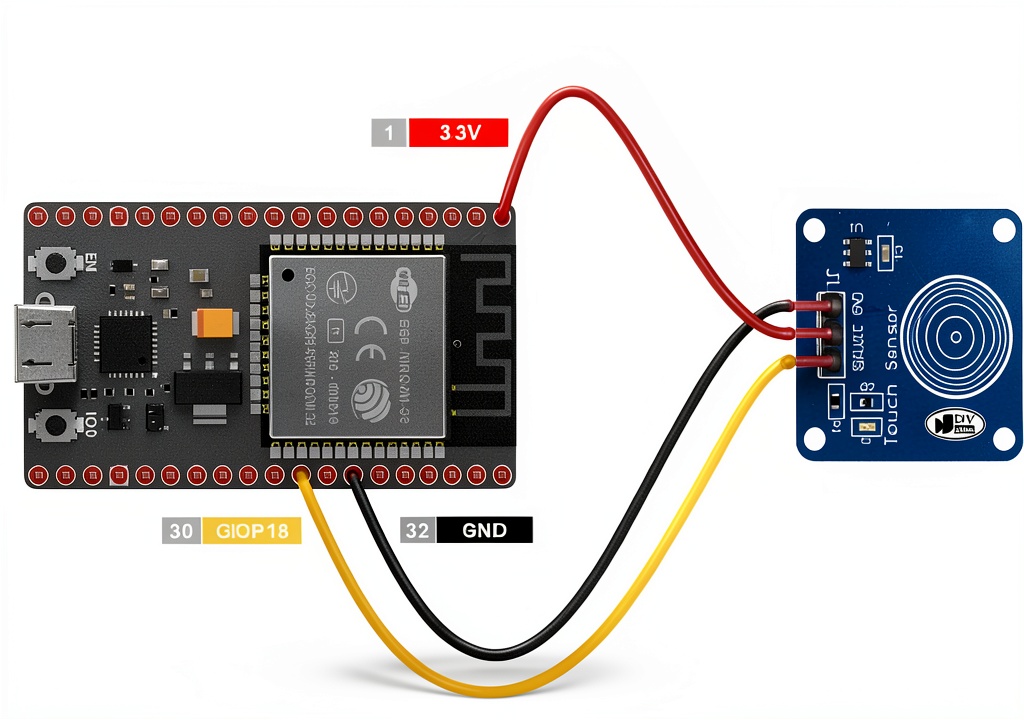
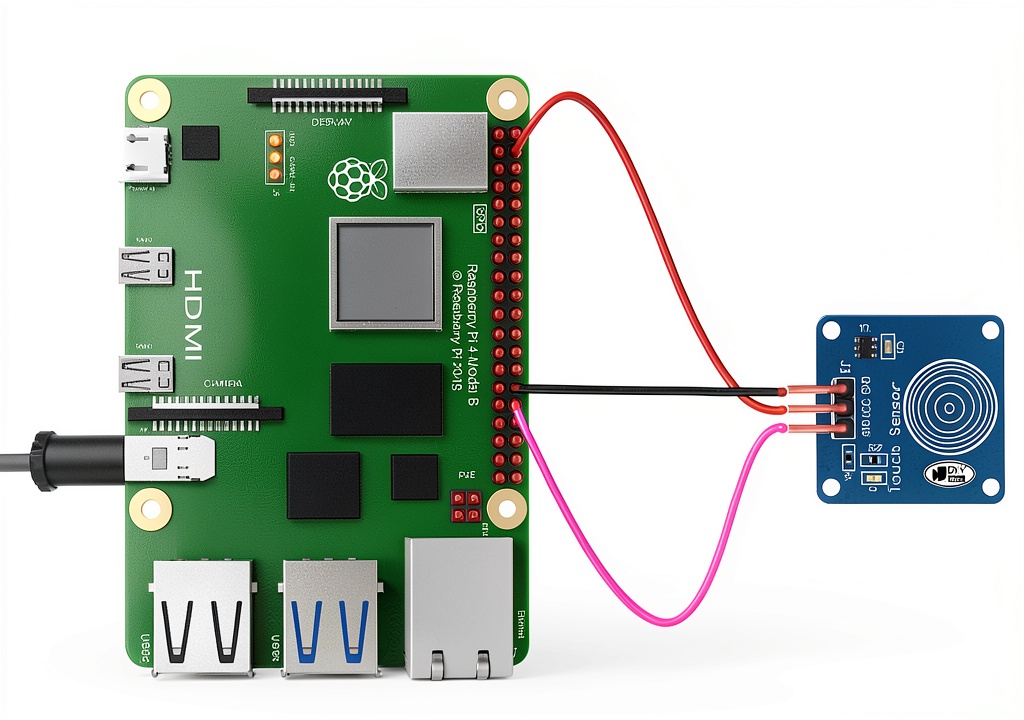
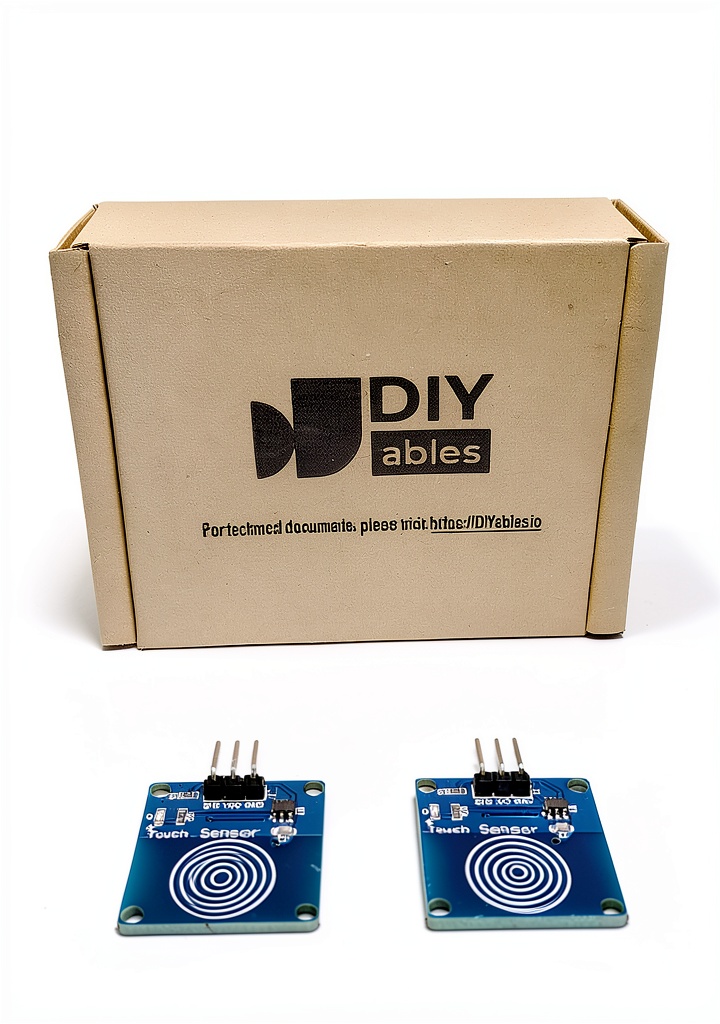
The DIYables Touch Sensor Button Switch is a dual‑unit capacitive touch module designed for makers, educators, and engineers who need a reliable, low‑power input method for their microcontroller projects. Each switch features a simple three‑pin interface—GND, VCC, and Signal—making it compatible with a wide range of development boards, including Arduino, ESP32, ESP8266, and Raspberry Pi. The module operates comfortably within a 3 V to 5 V range and consumes only about 5 mA during activation, ensuring minimal impact on battery life for portable applications. Constructed from a durable, heat‑resistant polymer housing, the switches are resistant to dust and minor impacts, providing long‑term stability in both indoor prototyping labs and outdoor hobbyist installations. The package includes two identical switches, a set of concise wiring diagrams, and step‑by‑step tutorials that guide users from basic connection to advanced gesture‑based control.
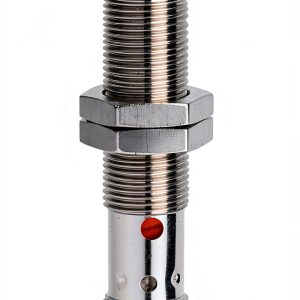
![[Product front view showing all components]](https://www.bestfair.store/wp-content/uploads/2026/07/6eadbfd22d16470e94c1c9ef471aeaa0.jpg)
Usage
These touch switches excel in environments where traditional mechanical buttons may fail or wear out quickly. Ideal for interactive art installations, smart home control panels, wearable devices, and robotics, the sensors respond instantly to a fingertip without the need for moving parts. Because the module works with both 3.3 V and 5 V logic levels, it can be integrated into projects that run on battery packs, USB power, or regulated power supplies. Hobbyists often use the switches to trigger LED strips, motor drivers, or Wi‑Fi events, while educators appreciate the clear visual feedback and the ability to demonstrate concepts such as capacitance, debounce handling, and interrupt‑driven programming. The included tutorials cover Arduino, ESP‑based boards, and Python scripts for Raspberry Pi, ensuring that users of any skill level can get the switch up and running in minutes.
Why Choose Us
DIYables stands out for its commitment to open‑source hardware and community support. Each Touch Sensor Button Switch is manufactured under strict quality‑control processes, guaranteeing consistent performance across every unit. The polymer housing is engineered to resist UV exposure and minor chemical spills, extending the lifespan of the sensor in demanding settings. In addition to the physical product, DIYables provides free, regularly updated documentation, video walkthroughs, and a responsive forum where users can share code snippets, troubleshoot issues, and request feature enhancements. When you purchase this switch, you also gain access to a dedicated support channel that offers personalized assistance for integration challenges, firmware updates, and design advice, ensuring that your project succeeds from prototype to production.
Key Features
- Capacitive touch detection delivers instant, reliable response without mechanical wear.
- Wide operating voltage (3‑5 V) makes it compatible with both 3.3 V and 5 V microcontrollers.
- Low current consumption (≈5 mA) preserves battery life for portable and remote applications.
- Simple three‑pin wiring (GND, VCC, Signal) reduces setup time and eliminates complex wiring.
- Comes with comprehensive tutorials and community support for Arduino, ESP32/ESP8266, and Raspberry Pi.
FAQ
Can the switch be used with a 3.3 V microcontroller?
Yes, the sensor operates reliably between 3 V and 5 V, so it works perfectly with 3.3 V boards such as the ESP32, ESP8266, and many Arduino variants.
Do I need any additional components to connect the switch to my board?
No extra components are required for basic operation. For advanced features like debounce handling or analog sensitivity adjustment, you may add a small resistor or capacitor as described in the tutorial.
Is the touch sensor waterproof?
The housing provides resistance to splashes and light moisture, but it is not fully waterproof. For outdoor projects, consider adding a protective seal or enclosure.
How many switches can I connect to a single microcontroller pin?
Each switch should be connected to its own input pin to avoid signal interference. If you need multiple inputs, you can use a multiplexing technique or an I/O expander.
What is the typical response time of the sensor?
The capacitive detection circuit responds within a few milliseconds, providing near‑instantaneous feedback suitable for interactive applications.
}
Reviews
There are no reviews yet.